
Search and tags
Command palette
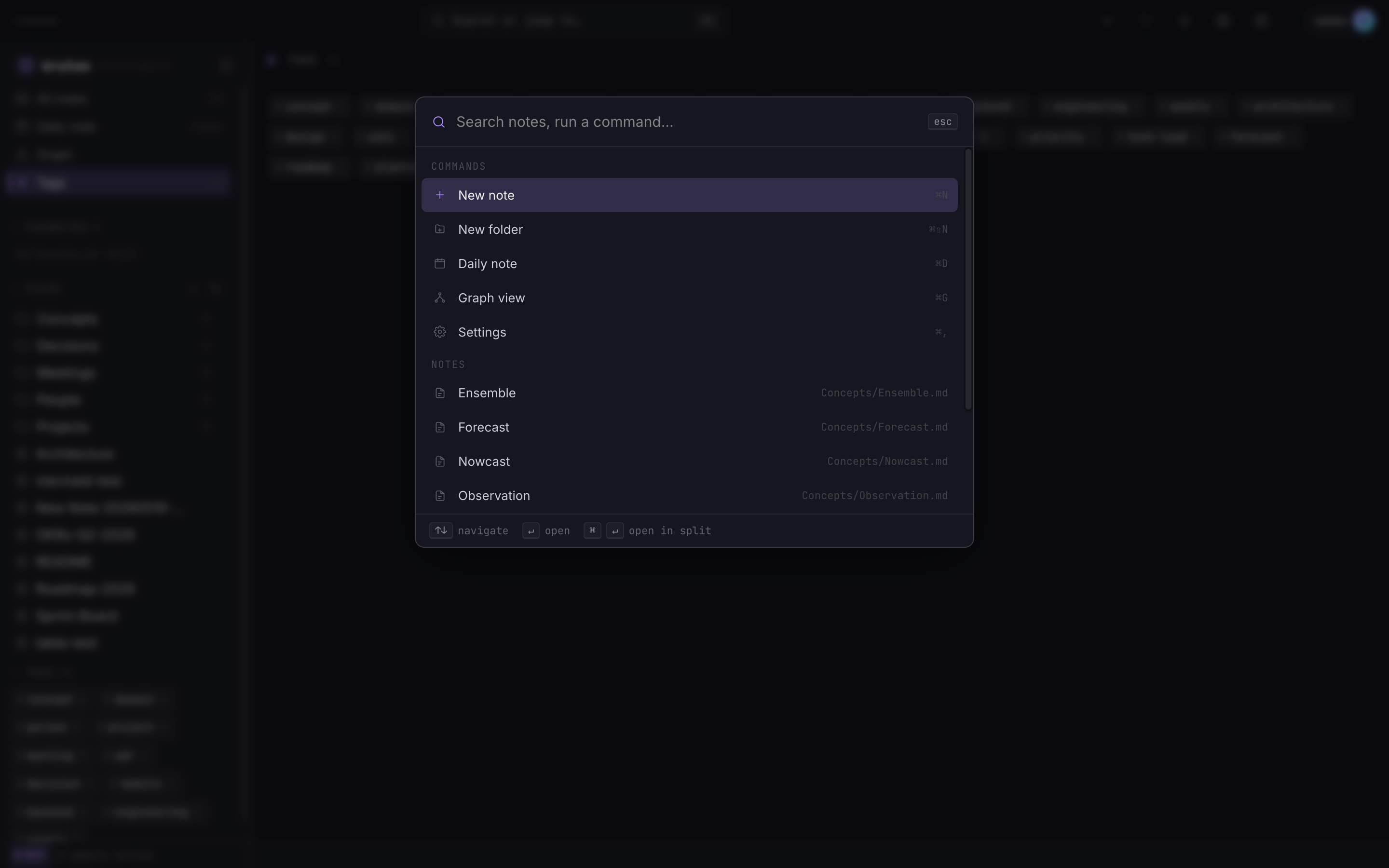
Section titled “Command palette”Hit ⌘K (or Ctrl+K) anywhere in Kryton. The palette opens at the top of the screen.
 1234
1234 - Search box. Start typing — commands and notes filter live.
- Commands: new note, new folder, daily note, graph view, settings.
- Notes: every note in your vault, fuzzy-matched against the query.
- Keyboard hints: ↑↓ to navigate, ↵ to open, ⌘↵ to open in split.
It is the fastest way to:
- Jump to a note by name
- Run a command (new note, graph view, settings, …)
- Open something in split view (
⌘↵)
All without leaving the keyboard.
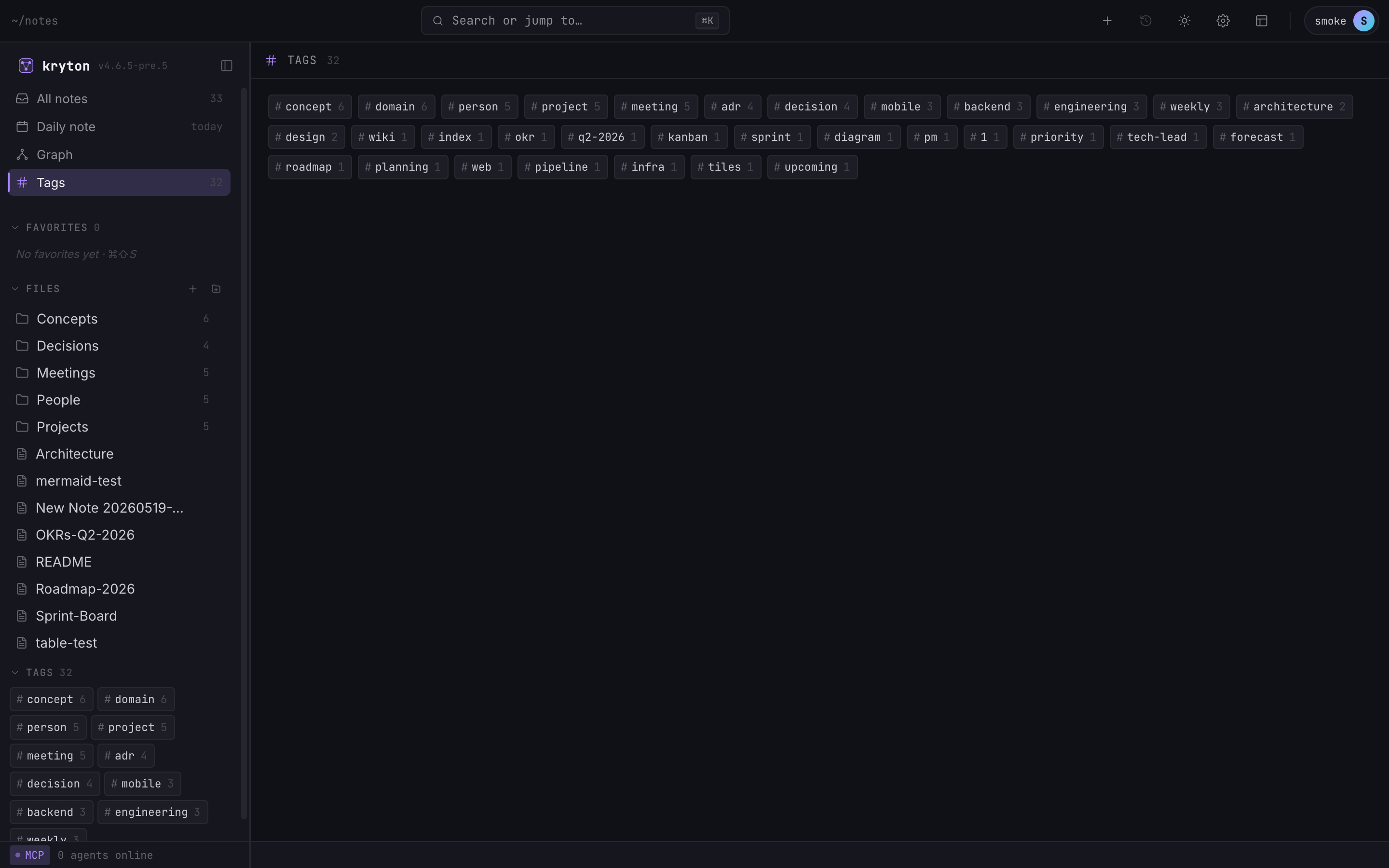
Any #word in a note becomes a tag. Tags are listed in the sidebar with their counts, and the Tags view (sidebar → Tags) shows the full alphabetised list.
 12
12 - Sidebar tag list — most-used at the top.
- Main pane: every tag, sortable, click any to filter notes.