
Editor
The editor is an in-house markdown editor with a formatting toolbar and a live preview. Everything writes plain .md files in your notes directory.
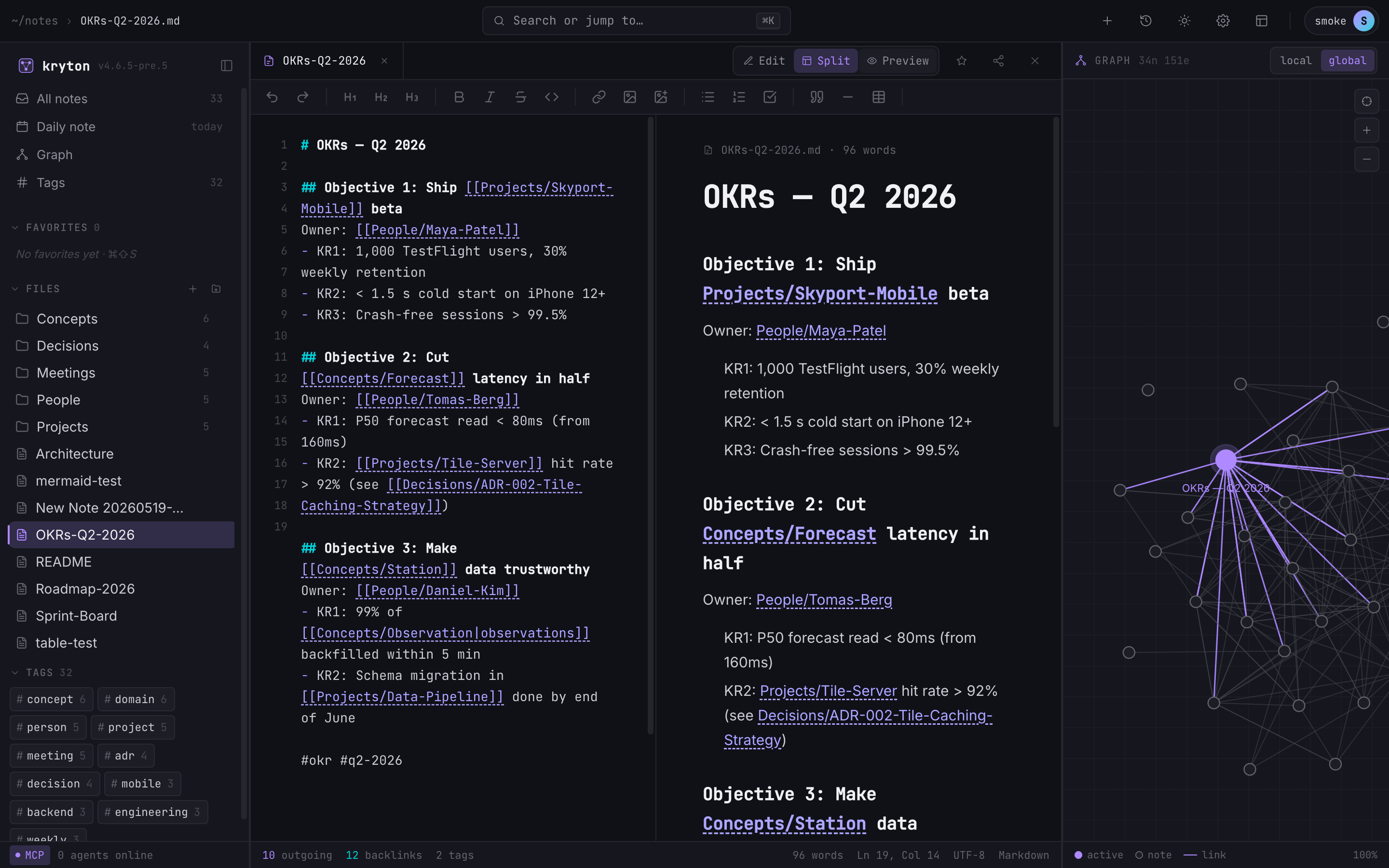 12345
12345 - Tab strip. Open notes stack here. Capped at 4 — opening a fifth closes the oldest.
- Mode toggle: Edit / Split / Preview. Split is shown here.
- Formatting toolbar: headings, bold, italic, lists, links, tables.
- Plain markdown source — left half of split view.
- Live preview — right half, kept in sync as you type.
Toolbar
Section titled “Toolbar”From left to right: undo / redo, three heading levels, bold (⌘B), italic (⌘I), strikethrough, inline code, wiki link, insert image, upload image, bullet/numbered/task lists, blockquote, horizontal rule, and insert table. Hover any button to see its keyboard shortcut.
The tab strip is capped at 4 open notes. When you open a fifth, the oldest is evicted automatically — no overflow menu to manage, no tabs slipping off-screen.
Auto-save
Section titled “Auto-save”You never click Save. Edits are persisted via a 500 ms debounced write to the server. If you and someone else are editing the same note over the live-collaboration channel, the server handles persistence instead.
Edit, split, and preview
Section titled “Edit, split, and preview”Three modes for the same note:
- Edit — the markdown source only.
- Split — source on the left, rendered preview on the right (above).
- Preview — the rendered note only. Wiki-links and embedded notes (
![[note]]) resolve here.