
Linking and graph
Kryton notes link to each other with double brackets. Every link is bi-directional and surfaces in the graph view.
Writing a link
Section titled “Writing a link”Type [[ and start typing the name of another note. A list pops up; pick one, hit Enter. The result looks like [[Projects/Skyport-Mobile]] in the source and renders as a clickable link in preview.
Links to notes that do not exist yet get a different style so you can spot them — that is normal. Create the note later, and the link wakes up.
Backlinks
Section titled “Backlinks”Every note shows the notes that link to it in a Backlinks panel at the bottom. Click any of them to jump.
Graph view
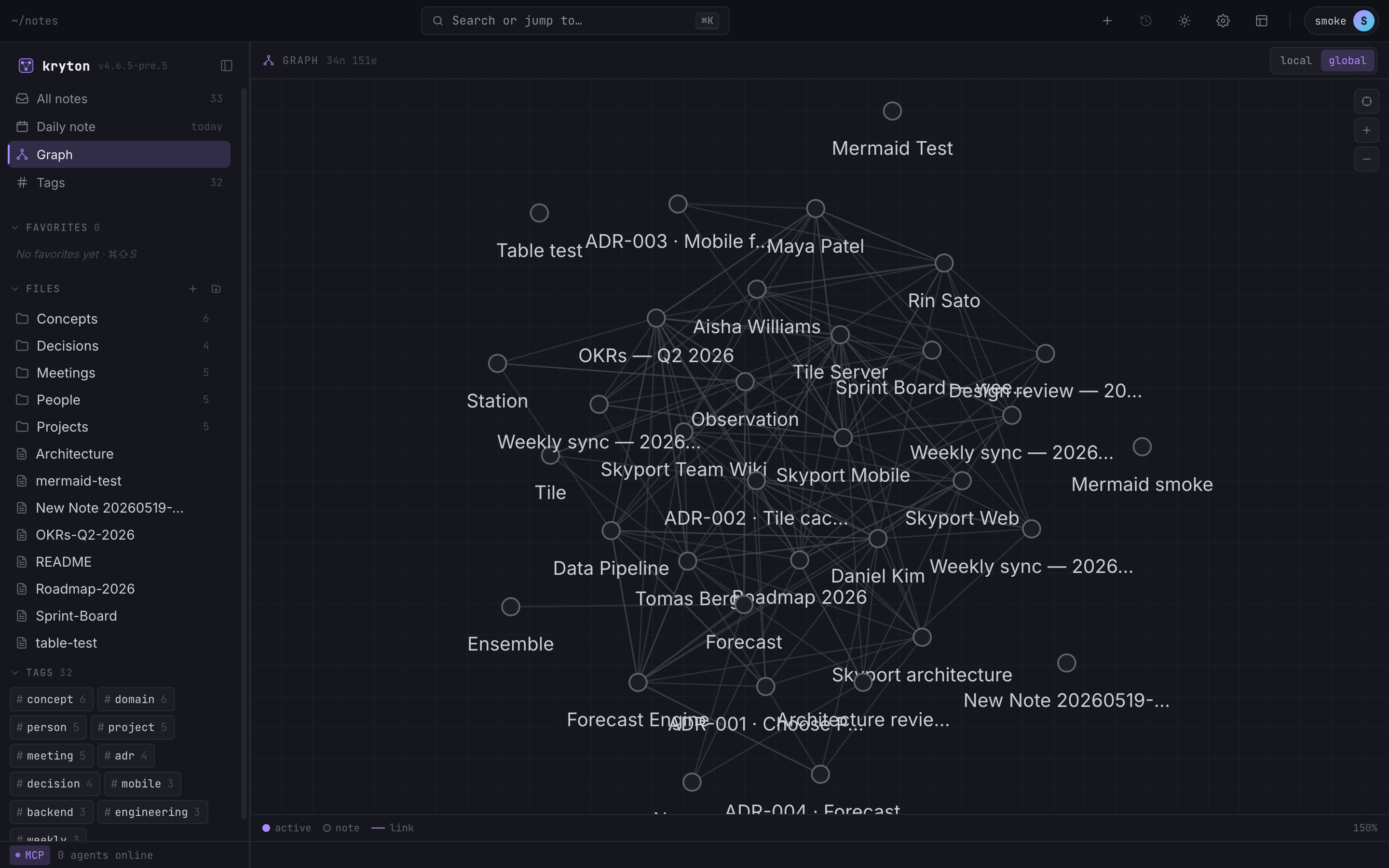
Section titled “Graph view”The full set of links — every note, every backlink — is also a graph. Open it from the sidebar or hit ⌘G.
 1234
1234 - Node and edge counts for whatever view is active.
- Local view shows just the notes within two hops of the current note. Disabled here because no note is open.
- Global view (active) shows every note in your vault at once.
- Each dot is a note. Drag, zoom, or click to open.
Local view (when a note is open) shows just the neighbourhood within two hops of the current note — useful for orienting yourself in a complex web. Global shows everything.