
Plugins
Kryton ships with 24 official plugins in the registry — kanban boards, Mermaid diagrams, Excalidraw, calendar, flashcards, Git backup, Pomodoro, and more. They are all opt-in.
The plugin manager
Section titled “The plugin manager”User menu → Admin Panel → Plugins.
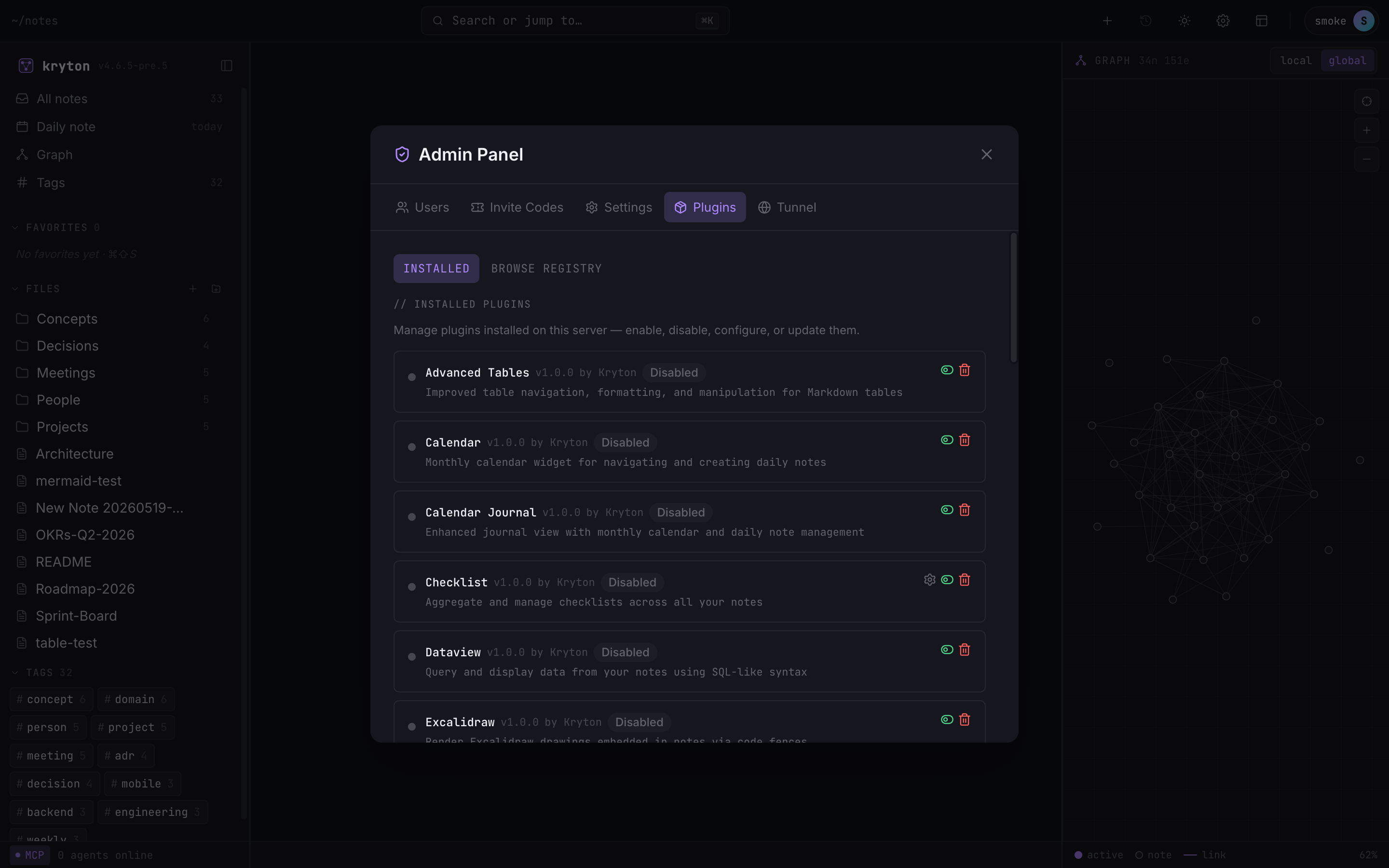 1234
1234 - Plugins tab — selected.
- Installed (active here) vs Browse Registry to find new ones.
- Plugin settings (gear) — appears when the plugin exposes options.
- Enable / Disable / Reload / Uninstall. Reload only shows for active plugins.
Click Enable to activate. The plugin loads immediately — no server restart, no page reload. Click again to disable.
Browse and install
Section titled “Browse and install”The Browse Registry tab lists every plugin that is published but not yet installed. Click Install and it appears in the Installed list, ready to enable.
Per-plugin settings
Section titled “Per-plugin settings”Plugins that expose options get a gear icon. Click it — settings render inline directly under the plugin card, no separate dialog. Save changes apply immediately.
What is in the box
Section titled “What is in the box”A few you may want to enable on day one:
- Kanban Board — turn a
```kanbancode fence into an interactive board. - Mermaid Diagrams — render
```mermaidfences as flowcharts, sequence diagrams, etc. - Excalidraw — embed editable sketches in a note.
- Slash Commands —
/h1,/list,/tableshortcuts while typing. - Git Backup — auto-commit your notes to a Git repo on a timer.
- Calendar — monthly calendar widget for navigating daily notes.
- Pomodoro Timer — focus timer in the status bar.
Full list and source in azrtydxb/kryton-plugins.